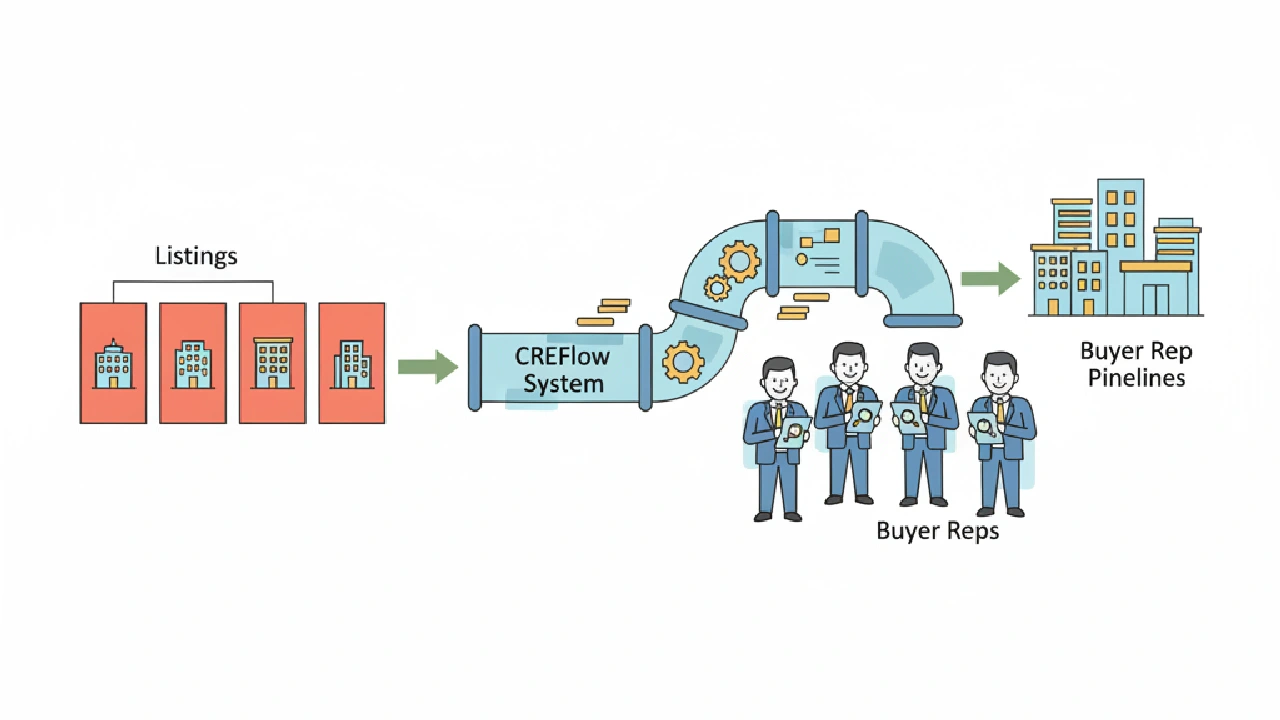
Let's talk about what actually moves the needle for us as commercial brokers. You're juggling a dozen balls at once: sourcing leads, tracking properties, negotiating deals, and trying to keep your clients happy. The last thing you need is your software fighting you every step of the way. We've all been there, trying to force a square peg into a round hole with generic CRMs or, worse, a stack of spreadsheets. But for brokers, especially those of us deep in investment acquisitions, listings, buyer/landlord/tenant representation, and leasing, we need tools built for our game. That's where a focused platform like CREflow comes in.
Think about a typical day. You're probably spending a chunk of time just on admin, trying to figure out "what's next" or "where did I put that LOI?" It's not just wasted time; it's deal flow at risk. With a platform designed for commercial workflows, you get those hours back, and more importantly, you don't drop the ball on a critical client or a hot property.
Tailored Pipelines, Not Generic Sales Funnels
Most CRMs are built for a generic sales funnel, not the nuanced world of commercial real estate. They don't get that a landlord rep deal isn't the same as an investment acquisition, or that a buyer rep search has its own rhythm. With CREflow, the pipelines are specialized for our deal types. This means that when you're working a landlord rep deal, you see lease terms and rent-roll-style information directly on the deal. If it's a buyer rep engagement, you get a dedicated shortlist for candidate properties until one is active for offers. You're not shoehorning CRE deals into a residential template, which saves you a ton of headaches.
We need our tools to speak our language. Trying to track a complex lease negotiation in a system designed for widgets is a recipe for missed details. With CREflow, you're getting pipelines that understand the difference between, say, an owner-operator exit and a client-centric tenant representation. This keeps the relevant data front and center, reducing manual data entry and ensuring everyone on your team knows exactly what stage a deal is in.
Before You Set Up Your Pipelines, Check This:
- Confirm broker mode is enabled in your team settings.
- Toggle on only the pipelines you actively use (e.g., Buyer Rep, Landlord Rep) in Settings → Pipeline visibility.
- Review the default stage names to ensure they align with your team's workflow.
Automated Statuses Keep You on Track
How much time do you spend manually updating statuses? Between properties, contacts, and deals, it adds up. One of the biggest time-sinks is trying to keep everything current. Automated lifecycle statuses in CREflow reduce that grunt work significantly. When a property gets linked to an active deal, its status automatically updates to "In Deal." When a contact responds to a campaign, their status shifts to "Responded," and that can even trigger follow-up tasks in your Action Center. This isn't just about convenience; it's about accuracy and ensuring you're always looking at the most current information.
For instance, if a property has been "Was in Deal" for 60 days without activity, it automatically reverts to "Idle." You don't need to remember to clean up old records; the system handles it. This keeps your data clean and your focus on what's active and actionable. We're not trying to find an opportunity in a stack of old files; we're seeing what's live right now.
Before You Trust Automated Statuses, Check This:
- Understand the status priority rules (e.g., "In Deal" overrides "In Campaign").
- Familiarize yourself with the time-based rules for "Idle" transitions (e.g., 60 days inactivity).
- Confirm how contact responses in campaigns trigger Action Center items.
Centralized Follow-Ups: No More Dropped Balls
We've all been there: a hot lead, a promising property, and then… nothing. Why? Because the follow-up got buried in emails, a sticky note, or just plain forgotten. Scattered follow-ups are deal killers. CREflow brings all your follow-ups into a unified workflow, surfacing them in your Calendar and Action Center. Instead of digging through emails for the next step on a property, it's right there, prioritized and ready for action.
Let's say you have a buyer rep client, and you've short-listed three properties. You need to schedule tours, but also follow up with two listing brokers. All these activities, whether they're tied to a deal, a property, or a contact, show up in your Action Center. You can sort by due date, priority, or even source (property, deal, campaign). When you complete a call or meeting activity, the system even prompts you to log a touch, ensuring your property history is accurate without extra clicks. This ensures that nurture work doesn't get lost before a property becomes a deal, and it streamlines your daily to-do list.
Before You Rely on Action Center, Check This:
- Customize your Action Trigger Settings (owners only) for deal stage-based task creation.
- Use pipeline chips to filter your Action Center view to focus on specific deal types.
- Regularly review the "Deals with no follow-up scheduled" card on your Dashboard.
Keep Deal Underwriting & Negotiation in One Place
How often do you switch between your CRM, a spreadsheet for underwriting, and email for offers and checklists? This tool sprawl kills efficiency. CREflow integrates deal-management tools like an Offers tab, transaction checklists, and even an Underwriting module directly into the deal file. This means all your negotiation and due diligence context stays with the deal. No more hunting for the latest version of an LOI or the detailed proforma.
For an acquisition deal, you can model NOI, cap rate, and IRR directly within the Underwriting tab. As a broker representing a seller, the Offers tab allows you to track incoming offers and LOIs, updating their status as negotiations progress. When you're working a tenant rep deal, you can use the Checklist tab to manage lease closing tasks like estoppels and tenant notices. This centralization means less time spent managing documents and more time focused on advising your client.
Before You Start Underwriting & Negotiation in CREflow, Check This:
- Ensure you're on a paid plan to access the Underwriting module for acquisition deals.
- Familiarize yourself with the Offer statuses available for your specific pipeline (e.g., Buyer Rep vs. Landlord Rep).
- Use the Share feature to send read-only underwriting reports or deal summaries to clients and partners.
Key takeaways
- Use specialized pipelines for brokerage workflows to avoid generic CRM limitations.
- Leverage automated property and contact statuses to keep your data current without manual updates.
- Centralize all follow-ups in Action Center and Calendar to avoid missing critical tasks.
- Keep underwriting, offers, and checklists within the deal file to reduce tool sprawl and streamline negotiation.
FAQ
How does CREflow handle different types of brokerage deals?
CREflow offers optional broker mode with specialized pipelines for Buyer Rep, Landlord Rep, and Tenant Rep. Each pipeline provides a tailored detail layout for that deal type, showing relevant fields like lease terms for landlord rep deals or a property shortlist for buyer rep engagements. This is in addition to the standard Acquisition and Disposition pipelines.
Can I track offers and negotiation history in CREflow?
Yes, the Offers tab within each deal type allows you to track offers, counters, and letters of intent. For acquisition and buyer rep deals, you track outgoing offers. For disposition and landlord rep deals, you record incoming offers. This keeps your negotiation history organized and attached to the deal.
What happens if I have multiple properties for a buyer rep client?
For Buyer Rep and Tenant Rep deals, you can add multiple candidate properties to a shortlist on the deal's Properties tab. However, only one property can be "active" at a time for offers and diligence. You use the "Set active" action to switch which property your client is actively pursuing.
How does CREflow help with follow-ups and task management?
CREflow centralizes your follow-ups in the Action Center, which combines automated tasks (from deal stage triggers or campaign responses) with your scheduled calendar activities. This prioritized list ensures you see what's due today, overdue, or going cold, helping you manage your daily workflow and avoid dropped balls.
Can team members collaborate on deals and share information?
Yes, resources created within a team context in CREflow are visible to all team members. You can assign deals and activities to specific teammates, use @mentions in deal comments for notifications, and track team activity in a centralized feed. This ensures everyone is on the same page and working efficiently together.