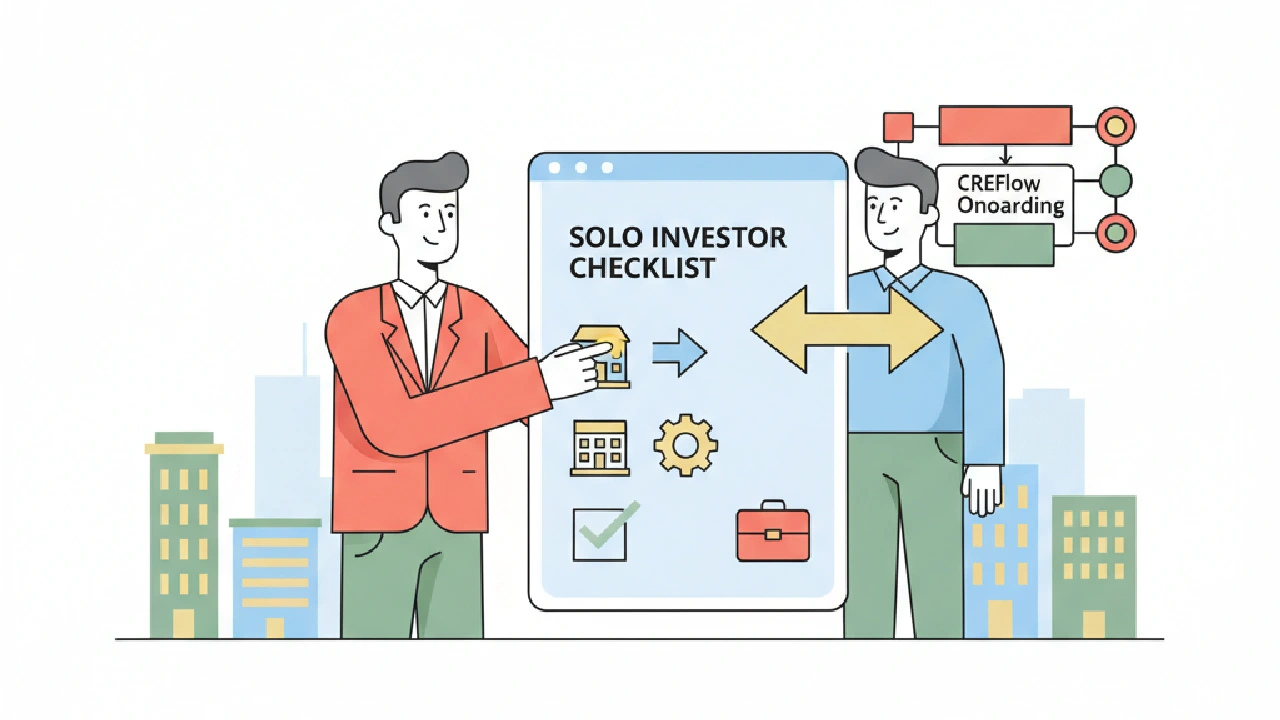
Alright, let's talk about getting set up. If you're a solo commercial real estate investor, time is your most valuable asset. You can't afford to mess around with bloated software or spend weeks in onboarding calls. You need to hit the ground running. This isn't about "implementing a new system"; it's about making your deal-finding and closing process smoother, right now.
CREflow isn't just another tool; it's your central command for acquisition. The goal here is simple: get your core operations into one place, ditch the scattered spreadsheets, and stop missing follow-ups. We're cutting to the chase so you can focus on what makes you money: deals.
1. First Things First: Account Setup & Core Profile
Before you dive into deal hunting, you need to set up your base camp. This is quick, no-nonsense stuff. CREflow is designed to be simple for a new owner to start using quickly. New teams see a guided walkthrough covering the Dashboard, Properties, Contacts, Calendar, and Help. Don't skip it.
As a solo investor, you are the team owner. This means you control the settings. Open Profile (for personal settings) and Settings (for app-wide preferences) to set your timezone and other preferences early. This isn't just about convenience; it ensures your due dates and activity timestamps are accurate. Missing a deadline because of a timezone mismatch is a rookie mistake.
Get your profile right. Your name, email, and any other details. This helps keep everything professional and consistent, especially if you ever share a deal summary or report with partners down the line.
Before You Dive Deep, Check This:
- Complete your Profile (name, photo, password) and open Settings for timezone, units, and notifications.
- Familiarize yourself with the guided walkthrough for Dashboard, Properties, Contacts, and Calendar.
- Verify your pipeline visibility in Settings; make sure Acquisition and Disposition are enabled under Pipeline Visibility if you plan to use them.
2. Centralize Your Data: Properties & Contacts
This is where most solo guys fall apart: scattered data. You've got property leads in one spreadsheet, owner contacts in another, and notes in an email draft. That's a disaster waiting to happen. The whole point of using CREflow is to keep sourcing, contacts, and deal tracking in one place. No more version control headaches.
Start by getting your existing properties into CREflow. If you have a decent list, use the bulk import function by navigating to Properties and clicking "Import." It's faster than manually entering each one. Then, link those properties to your contacts. You can import contacts in bulk too, from the Contacts list. Don't overthink it; just get the data in there. You can refine it later.
Assign types to your contacts (Owner, Buyer, Agent) using the Contact Types feature. This helps you segment your outreach later. For properties, you can use the Tagging Properties feature for quick categorization. Think "Off-Market", "Value-Add", "Retail", "Industrial"—whatever makes sense for your pipeline. This keeps your data clean and searchable, helping you avoid that "I know I saw that property somewhere..." moment.
Before You Call an Owner, Check This:
- Import your existing property leads via CSV using the Bulk Importing Properties feature.
- Import your contacts using Bulk importing contacts and link them to relevant properties.
- Add custom tags to properties for easy filtering (e.g., "target market," "asset class") using Property Tags.
3. Automate Your Follow-Ups: Action Center & Deal Triggers
This is the game-changer. Most solo investors lose deals because of inconsistent follow-up. They get busy, and things fall through the cracks. CREflow's Action Center is your daily prioritized task list. It pulls in everything due today, overdue, or going cold, so you always know your next move.
Don't just rely on manual entry. As a team owner, you can set up deal stage triggers in your Settings. For example, when you move a deal to "Under Contract," automatically create a task to "Schedule Inspection" or "Send LOI" using Deal Stage Triggers and Actions. This makes your early-stage follow-up auditable and ensures you never miss a critical step. This isn't some fancy corporate process; it's just smart business.
When you complete a Call, Meeting, Tour, or Follow-up activity related to a property, CREflow will prompt you to Log Touch. Do it. This builds a history of your outreach on that property, giving you a clear picture of its Lifecycle Status and status. You can see if a property is "In Deal," "In Campaign," or "Idle" right there.
For example, you just had a great conversation with an owner about their industrial property. You log the touch and then use Actions → Schedule Follow-up directly on the property page for next week. That follow-up hits your Action Center, ensuring it doesn't get buried.
Before You Miss a Deal, Check This:
- Configure CREflow's Action Center as your daily go-to for tasks.
- As a team owner, set up deal stage triggers to automate key follow-up tasks in Action Trigger Settings.
- Commit to logging all touches and scheduling future activities directly on properties and deals, leveraging Property scheduled activities and Log Touch features.
4. Underwriting & Deal Management: Keep It Tight
Underwriting should live where the deal lives. Period. No more hunting for the "final" version of a spreadsheet. CREflow helps you avoid version-control issues by centralizing assumptions inside each deal. On acquisition deals, the Underwriting tab lets you model NOI, cap rate, and IRR directly within the platform. Enter your assumptions once, and the metrics update. This keeps your numbers consistent and accessible.
Use the Checklist tab for closing tasks, leveraging the Transaction checklist feature. This isn't just a nice-to-have; it's your sanity check. Environmental, financing, title – all the crucial due diligence items. Check them off as you go. Track offers and LOIs on the Offers tab using the Offers and LOIs feature. It keeps your negotiation history tied to the deal, rather than lost in email threads. This is how you keep your deal context complete and avoid last-minute scrambles.
Before You Analyze a Deal, Check This:
- Input underwriting assumptions directly into the deal's Underwriting tab using Deal underwriting.
- Utilize the Checklist tab for all due diligence and closing tasks with the Transaction checklist.
- Track all offers and LOIs on the Offers tab within the deal using Offers and LOIs.
Key Takeaways
- Make CREflow your single source of truth for all deal-related data.
- Automate repetitive follow-ups using CREflow's Action Center and Deal Stage Triggers.
- Keep your underwriting and deal documentation centralized in CREflow to avoid version chaos.
- Use CREflow's property and contact Lifecycle Statuses to quickly gauge engagement.
FAQ
Can I import my existing spreadsheets into CREflow?
Yes, you can. CREflow supports bulk importing for both properties (Bulk Importing Properties) and contacts (Bulk importing contacts) using CSV files. This is the fastest way to get your current data into the platform without manual entry. Just make sure your CSV columns map correctly to CREflow's fields.
How does CREflow help me with follow-ups?
CREflow centralizes your follow-ups in the Action Center, showing you what's due today, overdue, and going cold. You can also configure Deal Stage Triggers to automatically create tasks when a deal moves to a new stage, ensuring no critical step is missed.
What happens if I try to link a contact to multiple deals or campaigns?
A contact can be in multiple campaigns, but linking a contact to an active deal automatically removes them from all active campaigns. This ensures their Lead Lifecycle System status accurately reflects their highest-priority engagement.
Is the underwriting module suitable for complex deals?
The Underwriting tab in CREflow allows you to model key metrics like NOI, cap rate, DSCR, and IRR directly on acquisition deals, supporting various scenarios including refinancing and exit analysis. It aims to reduce reliance on external spreadsheets for core deal analysis.
As a solo investor, why do I need a "team" role?
Even as a solo investor, you technically operate as a team owner within CREflow. This gives you full administrative control over all settings, billing, and the ability to manage permissions if you ever decide to add a virtual assistant or partner in the future. You have access to Team settings to add or remove members.
Ready to streamline your acquisition process? Explore CREflow today.