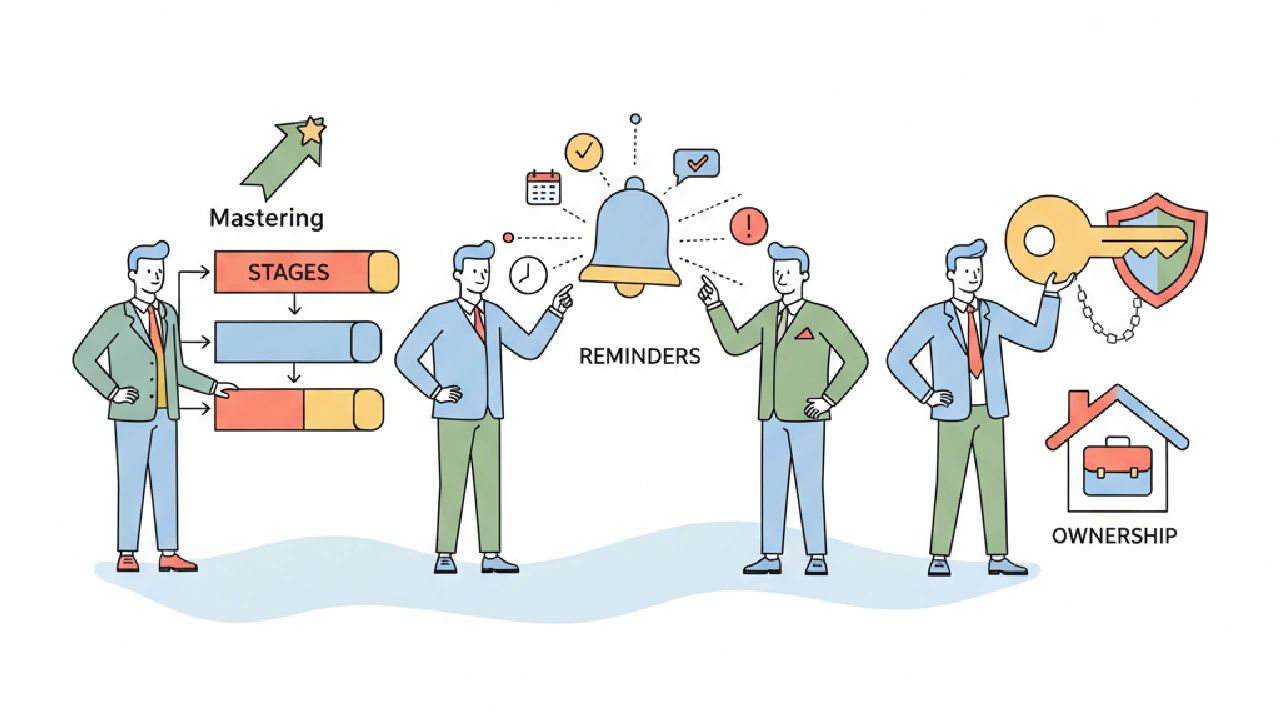
You just signed up for CREflow. Great. But signing up is easy. The real win comes from setting it up right, so it actually works for your deal flow, not against it. We've all seen teams buy software, only for it to collect dust because the initial setup was a mess. We're talking about real money, real time, and real deals here. A bad setup costs you deals; a good one frees you up to find more. This isn't about just filling in fields; it's about wiring your process into the system so it runs on autopilot.
Think about a typical day: you've got a warm lead on a multi-family property, but you're also chasing down a broker for an industrial site. Your associate is supposed to be underwriting a retail deal, but you're not sure if they've even started. That's where a solid CREflow setup pays off. It's not just a CRM; it's your operations manual, live. Let's get into how to build it right.
1. Define Your Pipeline Stages (The Right Way)
Most teams mess this up by making their stages too generic or too complex. "Prospecting" to "Closed" isn't enough. "Initial Contact," "First Call Scheduled," "LOI Sent," "Due Diligence Started," "Under Contract," "Closed Won/Lost" – those are stages that mean something. Each stage should represent a distinct action or decision point. If a deal sits in "Prospecting" for three months, that stage is too broad. If you have 15 stages, you're overthinking it.
Your stages in CREflow's Acquisition pipeline should reflect how you actually move deals. We're looking for clarity here, not a resume bullet. For example, if you consistently send out an initial Letter of Intent (LOI) before serious diligence, make "LOI Sent" a stage. If you always conduct a preliminary site visit, bake "Site Visit Scheduled" right in. This isn't just for tracking; it drives your reminders.
Operator Angle: The "Stuck" Stage & Backlog Management
A common mistake is letting deals languish in broad stages. If a deal sits in "Prospecting" for two months without activity, it's not really "prospecting" anymore; it's cold or dead. Consider adding a "Nurture/Incubate" stage for deals that aren't immediately actionable but shouldn't be discarded. This keeps your active pipeline clean and allows you to build specific automated reminders (e.g., "Schedule Follow-up" on a property in CREflow for nurture deals). Conversely, if you find deals jumping stages or skipping critical steps, it's a sign your stages aren't aligned with your real-world process or you have too many micro-stages. The goal is to create a natural flow that mirrors your team's actual work, making pipeline management intuitive rather than a chore.
Before You Finalize Stages, Check This:
- Do stages reflect actual, actionable steps in your process?
- Is each stage distinct enough that a deal can only be in one at a time?
- Can you clearly define what it means for a deal to enter and exit each stage?
- Are there 5-8 stages, max, for your primary acquisition pipeline?
- Have you considered edge cases like "Hold" or "Nurture" for deals that aren't actively progressing but aren't dead?
2. Automate Reminders with Deal Stage Triggers
This is where CREflow starts doing the heavy lifting for you. Manually setting reminders for every single deal is a fast track to missed deadlines and dropped balls. Instead, tie your reminders directly to your deal stages using CREflow's Action Trigger Settings. If you move a deal to "LOI Sent," what's the next logical step? Usually, it's a follow-up call in 3-5 days. Set that as an automatic trigger.
Here's a simple scenario: you move a deal to the "Under Contract" stage. Immediately, CREflow can create a task: "Schedule Phase I Environmental Review" due in 7 days, assigned to your project manager. Another task: "Prepare Due Diligence Checklist" due tomorrow, assigned to your analyst. These aren't just random reminders; they're critical path items that kick off automatically, landing right in your team's Action Center. No more chasing people or forgetting crucial steps. We use this to ensure nothing falls through the cracks when deals accelerate.
Edge Case: Dynamic Deadlines and Dependencies
Not all due dates are fixed. What if your Phase I review depends on the seller providing specific documents? CREflow allows for more sophisticated triggers through its Deal Stage Triggers. You can set a task to be due "X days after seller provides Y document" or "X days after closing date." This flexibility is crucial for complex deals where timelines shift. Also, consider creating conditional triggers. For example, if a deal moves to "Due Diligence Started" AND it's a multi-family property, trigger a task for "Review Rent Roll & Lease Abstracts." If it's industrial, trigger "Review Environmental Reports & Zoning." This level of detail ensures your team always gets the right reminder, not just a generic one.
Before You Automate Reminders, Check This:
- Have you identified the 1-2 critical next steps for each deal stage?
- Are these steps assigned to the right person (or team member role)?
- Do the due dates make sense for your typical deal velocity?
- Are you leveraging CREflow's Action Center to centralize these tasks?
- Have you considered dynamic deadlines or conditional triggers for more complex scenarios?
3. Define Clear Ownership for Properties and Deals
Who owns what? It sounds basic, but unclear ownership is a silent killer of productivity. When a property or a deal doesn't have a clear owner, everyone assumes someone else is handling it – or, worse, two people are doing the same work. In CREflow, make sure every property you're tracking has a primary owner assigned, and every deal has a deal owner. This isn't just about accountability; it's about clarity.
When you link a property to a deal in CREflow, the deal owner should be the point person. If a deal moves from prospecting to active diligence, and the owner changes, update it in CREflow. This ensures that follow-ups, comments, and activities are always directed to the right person. Use CREflow's team collaboration features like @mentions in deal comments to loop in others, but keep the primary owner clear. This avoids "that's not my job" syndrome and ensures timely responses to brokers and sellers.
Operator Angle: Ownership in Collaborative Teams
For teams with a highly collaborative or matrixed structure, defining ownership requires a bit more thought. While a single "Deal Owner" is paramount, consider establishing secondary roles within CREflow, such as "Underwriting Lead" or "Diligence Coordinator." This allows the primary owner to maintain ultimate responsibility while clearly delegating specific functional ownership. CREflow's role permissions, visible in the Team section, can also be leveraged here; for instance, only the deal owner and designated approvers might have permission to move a deal from "LOI Sent" to "Under Contract." This adds a layer of control and ensures critical transitions are properly reviewed, even in fast-paced environments. Clearly defined roles within the system reduce friction and improve the speed of execution because everyone knows their lane.
Before You Assign Ownership, Check This:
- Is every active property in CREflow assigned to a specific team member?
- Does every deal have a clear owner from creation to close?
- Are team members clear on how to transfer ownership if roles change?
- Are you using CREflow's Team Activity feed to see who's doing what?
- Have you considered secondary roles or role-based permissions for enhanced collaboration and control?
4. Centralize Communication and Document History
How many times have you dug through old emails or scattered local folders trying to find the latest LOI draft or a broker
4. Centralize Communication and Document History
How many times have you dug through old emails or scattered local folders trying to find the latest LOI draft or a broker conversation from last week? For acquisition teams, having a single source of truth for all deal-related communication and documents is non-negotiable. CREflow helps you centralize all of this directly within each deal record.
Use the Comments tab on each deal to keep all internal discussions, decisions, and external communications (summarized) in one place. Your team can post top-level comments, reply in threads, and even @mention teammates to notify them directly when their input is needed. This eliminates endless email chains and ensures everyone involved with a deal has access to the full conversation history.
For critical files like LOIs, purchase agreements, and due diligence documents, CREflow provides dedicated document storage on each deal. Upload files directly, ensuring they're associated with the correct deal. This isn't just about storage; it's about context. When a new team member joins, they can quickly get up to speed by reviewing the complete communication and document history right on the deal page, without asking for files scattered across different drives or inboxes.
Operator Angle: Version Control and Audit Trails
Beyond simple storage, the ability to track document versions and maintain an audit trail is crucial, especially during due diligence and closing. While CREflow focuses on centralizing these files, the discipline of naming conventions and utilizing comments to note document versions becomes paramount. For instance, when a new LOI draft comes in, upload it and use the comments to tag the version (e.g., "@Analyst - LOI Draft v3 uploaded for review"). This meticulous approach, combined with CREflow's activity timeline (which logs who uploaded what and when), provides a robust historical record, minimizing confusion and potential disputes during complex negotiations. Shared deal links can also be configured to allow document uploads, streamlining collaboration with external partners while maintaining control over what's shared.
Before You Centralize, Check This:
- Are you consistently logging internal discussions and external communication summaries in deal comments?
- Is your team uploading all critical deal documents directly to the deal record?
- Are you using @mentions to pull teammates into relevant conversations quickly?
- Have you established clear naming conventions for documents to aid version control?
- Are you leveraging CREflow's shared links to collaborate on documents with external partners while maintaining data security?
Key takeaways
- Refine your deal stages: Keep stages actionable, distinct, and between 5-8 steps for clarity, using stages like "Nurture/Incubate" for non-active deals.
- Automate next steps: Leverage CREflow's Deal Stage Triggers to automatically create tasks and reminders in the Action Center as deals progress, ensuring no critical step is missed.
- Establish clear ownership: Assign a primary owner for every property and deal to enhance accountability and streamline communication, utilizing secondary roles for complex team structures.
- Centralize communication and documents: Use deal comments and integrated document storage in CREflow to maintain a single source of truth for all deal history and files.
FAQ
What happens if my deal stages aren't perfect initially?
It's common for deal stages to evolve. CREflow allows team owners to adjust pipeline visibility and configure deal stages as your process matures. The key is to start with stages that reflect your current workflow, then refine them based on real-world usage and feedback from your team. You can always refine these in your team settings.
How do automated reminders from deal stages appear?
When a deal moves to a stage with an activated trigger, CREflow automatically creates action items. These items appear in the Action Center, on the deal's Activity timeline, and can include assignments to specific team members with set due dates, ensuring visibility and accountability.
Can I assign multiple owners to a single deal or property?
CREflow supports a primary owner for deals and properties to maintain clear accountability. However, you can use team collaboration features like @mentions in deal comments to involve other team members, or assign specific activities/tasks related to the deal to different individuals, allowing for collaborative work around a central owner.
Is there a way to track document versions within CREflow?
CREflow provides document storage on each deal, and its activity timeline logs document uploads. While explicit version control (like "v1, v2, v3" tracking on a single file) is managed through your own file naming conventions, the system ensures all files are centralized. For collaborative document review, consider using shared deal links where external partners can upload documents directly to a secure view.
What if I'm working on disposition deals instead of acquisitions?
CREflow supports both Acquisition and Disposition pipelines. The principles of defining stages, automating reminders, assigning ownership, and centralizing communication apply equally. You can configure separate stages and triggers for your disposition workflow to manage owner-operator exits effectively, ensuring that these deals are tracked with the same rigor as acquisitions.