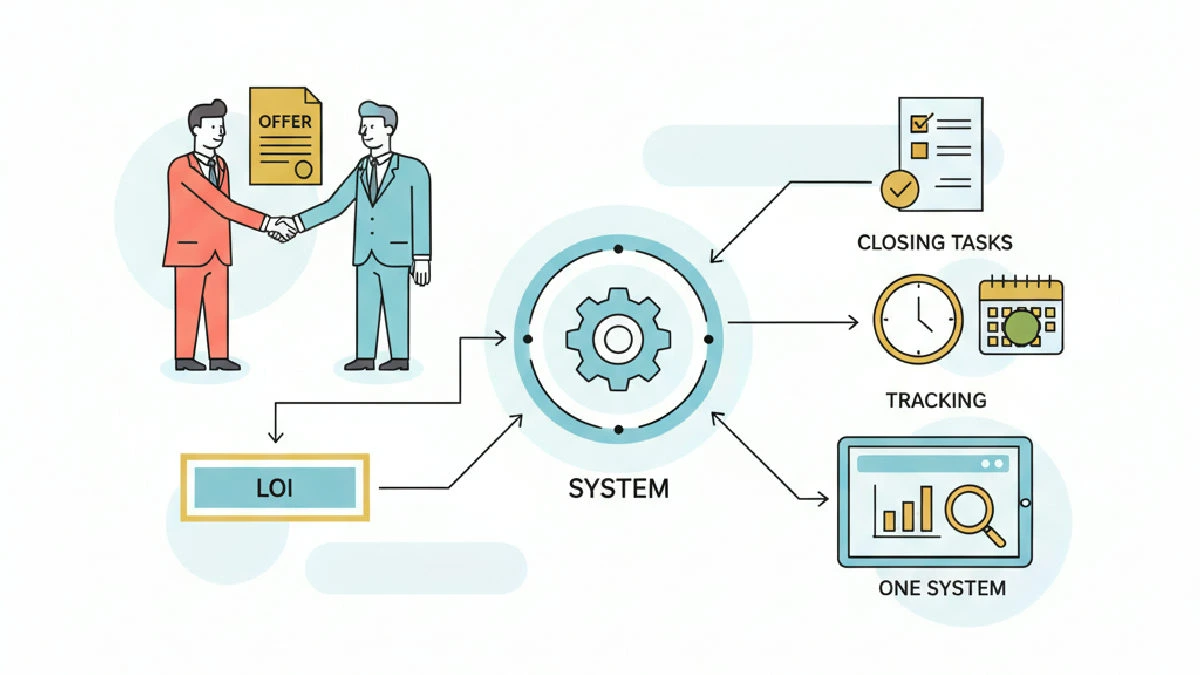
Core idea: push every offer, LOI, and closing task into one source of truth and let workflows do the heavy lifting. If you want to actually close deals instead of chasing emails and spreadsheets, you need a single system that tracks status, assigns tasks, and enforces deadlines. Put everything in one place and stop re-entering data — in other words, track offers, LOIs, and closing tasks in one system so the team has one reliable record of truth.
1) Define the single source of truth
Don’t argue about software. Pick the system that matches your operation and use it consistently. Make this a hard rule: if a piece of deal data isn't in the system, it doesn't exist for operations. Period. For guidance on selecting tools, review the best software for tracking offers, LOIs, and closings.
What to store: party contacts, offer terms, LOI text, exclusivity windows, key dates, deposit/escrow status, diligence items, and closing checklist entries. Standardize those fields across deals so you can filter and report without Excel gymnastics.
Why this matters: spreadsheets and inboxes fragment responsibility. A broker keeping an LOI in their local file, a partner tracking diligence in a separate spreadsheet, and a closing checklist tucked into email is how deals slip. See how disconnected documents slow LOIs and due diligence and why CRE shops outgrow spreadsheets for signals that it’s time to centralize.
2) Model the lifecycle — stages and handoffs
Map the deal into discrete stages and enforce handoffs. A simple lifecycle for CRE could be: pipeline → offer pending → LOI signed (exclusivity) → due diligence → contracts → closing prep → closed. Give each stage a clear owner and a short checklist of must-dos.
Example stage rules (qualitative): when an offer moves to LOI signed, lock a dedicated LOI record, create the exclusivity task, and trigger the data-room checklist. When LOI moves to due diligence, assign a diligence lead and start weekly updates. The point is repeatability — every deal should follow the same mechanical steps.
Make stage changes an explicit recorded action in the system. No more “we’re in diligence” hallway talk: someone must mark the stage change and that action should create the next tasks automatically so accountability is clear.
3) Automate the routine — triggers that actually save time
You don’t need fancy AI to get value. Start with deterministic automation: stage change → create tasks; LOI signed → set exclusivity deadline; buyer uploads financials → assign QA. These simple automations cut the common slippage out of most deals.
Examples of effective triggers:
- LOI recorded: create exclusivity task, assign broker follow-up, and attach the signed LOI as the official file in the record.
- Exclusivity period started: schedule reminders at midpoint and just before expiry.
- Data room access granted: auto-create a due-diligence tracker for outstanding items.
- Closing date set: generate a closing checklist with responsible parties and pre-close milestones.
Automation only helps when tasks are meaningful: assign a person and a due date. Avoid auto-creating noise—if every tiny event spawns notifications, people will stop trusting the system.
4) Build practical templates and document controls
Templates stop you from relitigating the same decisions. Create LOI templates with common clauses and clearly marked optional language (exclusivity, deposit, termination). Keep standard due-diligence and closing checklists for each asset type (office, retail, industrial).
Store definitive versions of LOIs and offers in the system and use the activity timeline to capture who uploaded or updated documents and when. If a counterpart changes an economic term, record the change and a short audit note so negotiation history is visible to the team.
Control access: not everyone needs edit rights. Limit who can edit LOIs and who can only view them. That prevents accidental edits and keeps the legally approved version as the operational source.
5) Run weekly deal hygiene and use simple reporting
Deal hygiene beats fancy dashboards. Run a short weekly review where the deal owner verifies stage, updates outstanding tasks, and confirms exclusivity windows. Make that review a required checklist item before your weekly pipeline call. This habit reduces the risk tied to manual task tracking that creates pipeline blind spots.
Use practical filters: offers pending longer than one week, exclusivity expiring in the next interval, deals without an assigned diligence lead, and missing data-room items. Don’t obsess over vanity KPIs — show what’s actionable for the next seven days.
Mini-case: single-property office deal
Scenario: single-property office under a signed LOI and a buyer working through diligence. Here’s the runbook we used in one system.
- Create the deal record and attach the signed LOI as the official LOI document.
- Move the stage to "LOI signed". The system auto-created an exclusivity task and a data-room checklist assigned to the asset manager.
- The buyer uploaded operating statements to the data room. That action triggered a QA task for the controller to pull add-back backup and mark items as resolved in the tracker.
- A mid-diligence tenant lease issue was logged as an issue ticket, assigned to legal, and linked to the relevant LOI clause so negotiation status was visible in one place.
- As closing approached, a pre-close checklist (lien searches, escrow instructions, funds wiring, title approvals) had owners and due dates. We closed without last-minute surprises because the checklist was updated and tracked in one place.
Not sexy technology — disciplined use of one system and targeted automation enforcing the basics.
What to avoid — common mistakes
- Multiple masters: stop having multiple truths across Slack, email, and spreadsheets. Pick one. If a partner refuses, remove them from the decision loop until they comply.
- Too many auto-tasks: automation builds trust quickly and ruins it faster. Keep automations high-value and targeted so people pay attention.
- Treating the system like filing: the system must be live and enforced. If you only use it to store finished documents, you’ve wasted the chance to run deals through repeatable workflows.
Implementation quick playbook
Roll systems out in three focused steps:
- Scope: define required fields, stages, and responsible roles for the deal types you do most.
- Templates & automations: build LOI, diligence, and closing templates and set 6–10 core triggers that cover the highest-risk transitions.
- Enforce: run two weeks of deal hygiene, fix gaps, and make stage changes and weekly reviews mandatory for deal owners.
That’s enough to break the spreadsheet reflex and get measurable improvement.
Key takeaways
- Use one source of truth for offers, LOIs, and closing tasks — if it’s not in the system, it doesn’t exist operationally.
- Model the deal lifecycle with clear stages and owners; make stage changes create tasks automatically.
- Automate only high-value triggers and keep templates for LOIs, due diligence, and closing checklists.
- Run short, mandatory weekly deal hygiene and enforce document activity tracking so you can see who changed or uploaded files and when.
FAQ
Do we need custom software to do this?
No. Off-the-shelf CRMs and project systems that let you customize fields, stages, tasks, and document storage can work. The important part is discipline: standardize fields, enforce stages, and automate the small set of repeatable tasks.
How do we handle broker-sourced offers that live outside our system?
Require brokers to submit offers through a single intake form or have a deal owner enter the offer immediately. The goal is a single deal record; if a broker refuses, you own the risk. Don’t accept parallel spreadsheets.
What should trigger an exclusivity deadline task?
Record the exclusivity term on the LOI record and auto-create reminders at logical checkpoints: midpoint and shortly before expiry. The system should surface the upcoming expiry to the deal owner and legal without hunting through email.
How do we prevent task overload from automation?
Limit automations to high-impact events: LOI signed, data-room uploaded, issues opened, and closing date set. Review generated tasks during weekly hygiene and prune low-value automations.
How do we measure success?
Measure operational success by fewer missed deadlines, shorter time from LOI to closing, and less email chasing. If your team spends less time reconciling spreadsheets and more time resolving real issues, the system is working.
If you want, tell me how you currently track deals and I’ll sketch a system map you can implement in your platform of choice. If you already use CREflow, create deals and link properties as the single record for each opportunity, then configure Deal Stage Triggers in Settings so stage changes automatically create Action Center items and use Calendar to keep due dates visible — or track your acquisitions pipeline in CREflow.